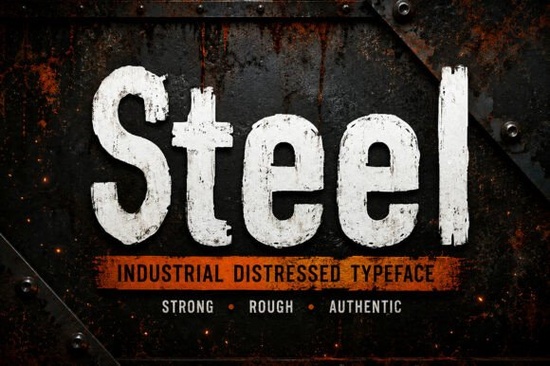
Finding the right typography for heavy-duty branding or rugged apparel can be tricky. You need lettering that looks weathered and authentic without sacrificing readability. The Steel Font solves this by offering a bold, distressed display typeface inspired by worn factory signage and vintage machinery. It gives your projects a raw, textured look right out of the box, making it highly practical for print-on-demand sellers and small business owners who want a strong visual identity.
When working with heavily textured letters, the goal is to communicate strength and durability, a concept deeply rooted in the history of Steel manufacturing and heavy industry. This specific typeface includes uppercase and lowercase characters, numbers, and multilingual support, ensuring you can spell out brand names and taglines in various languages without losing the gritty aesthetic.
What kind of projects work best with a distressed industrial typeface?
Textured typography shines when applied to physical products and rugged branding. If you are designing workwear apparel, the worn edges of the letters mimic the natural fading you see on heavy canvas or denim. It is also highly effective for construction company logos, outdoor adventure gear, and mechanic shop signage.
For digital projects, this style works well on vintage-style event posters, social media graphics for hardware brands, and book covers for thriller or historical fiction genres. The high-quality distressed texture means you do not have to manually add grunge overlays in Photoshop; the raw look is already baked into the vector paths.
How do you install and format these files for different software?
The download package includes OTF, TTF, and WOFF formats. This variety is essential because different design programs handle font files differently, and having the right format prevents rendering errors.
- OTF (OpenType): Best for Adobe Illustrator and InDesign, as it supports advanced typographic features and clean vector scaling.
- TTF (TrueType): The most reliable format for basic word processors, Cricut Design Space, and Silhouette Studio crafting software.
- WOFF (Web Open Font Format): Necessary if you plan to use the typography on a WordPress or Shopify website to ensure fast loading times.
Installation is straightforward. On Windows, right-click the file and select install. On a Mac, double-click the file and use the Font Book app to add it to your system. Once installed, restart your design software so the new typeface appears in your dropdown menu.
Which other display styles pair well with rugged lettering?
Mixing font styles requires balancing the heavy visual weight of distressed letters with cleaner, more legible companions. If your main heading uses a rough industrial style, your body text or subheadings should use something simpler to maintain readability.
You might contrast the heavy textures with softer serif alternatives like Homegoing for a classic, approachable feel on a business card. Alternatively, if you want to lean fully into a retro aesthetic, pairing it with classic retro styles from this creative vintage collection can create a cohesive mid-century vibe for a brewery label. For projects needing a modern urban edge, you could mix it with gritty urban vibes similar to street writing lettering on a skateboard deck. If your brand needs a sharper, more technical contrast, try balancing the rough edges with cleaner sci-fi aesthetics like the Nebulan Star typeface for a tech-wear clothing line. You can always explore more industrial choices in the steel font display section if you need structural variations for a larger brand family.
What should you check before exporting your final design?
Before sending your file to the printer or publishing it online, run through a quick quality check to ensure the distressed details render correctly across all mediums.
- Check the scaling: Distressed edges can blur or disappear if the text is scaled down too small. Keep the font size large enough for the texture to remain visible.
- Outline the text: If you are sending a vector file to a commercial printer or a sign maker, convert your text to outlines in Illustrator so they do not need to install the font on their machines.
- Test the contrast: Ensure the weathered texture does not break the letters apart so much that they become unreadable against your chosen background color.
- Verify licensing: Double-check your commercial license terms, especially if you are selling physical products with the typography printed on them.
Taking a few extra minutes to review these details will save you from costly misprints and ensure your final product looks exactly as you intended. Whether you are cutting vinyl for a custom t-shirt or setting up a digital banner for a hardware store, paying attention to these small formatting details makes a massive difference in the final result.
Download Now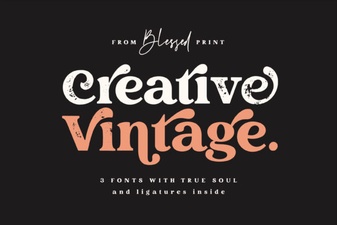 Elevate Projects with Vintage & Creative Typography
 Cute Fonts for Storytelling Projects
 Legacy College Fonts: Design Ideas & Free Downloads
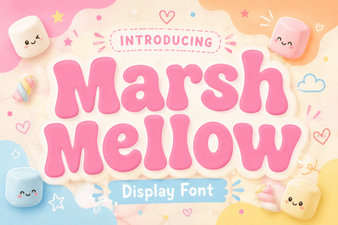 A Free Font for Fun Design Projects
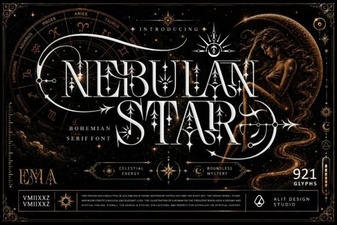 Nebulan Star: a Font for Creative Typeface Projects
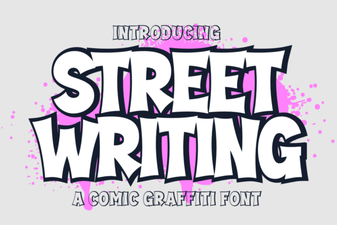 Creative Urban Typography for Digital Projects